
How to install the Connectly chat widget on your Shopify store by adding a code snippet to your theme.
The Connectly chat widget allows both prospective and existing clients to chat with your business directly from your Shopify store. Setup requires copying a small code snippet from the Connectly inbox and pasting it into your Shopify theme.
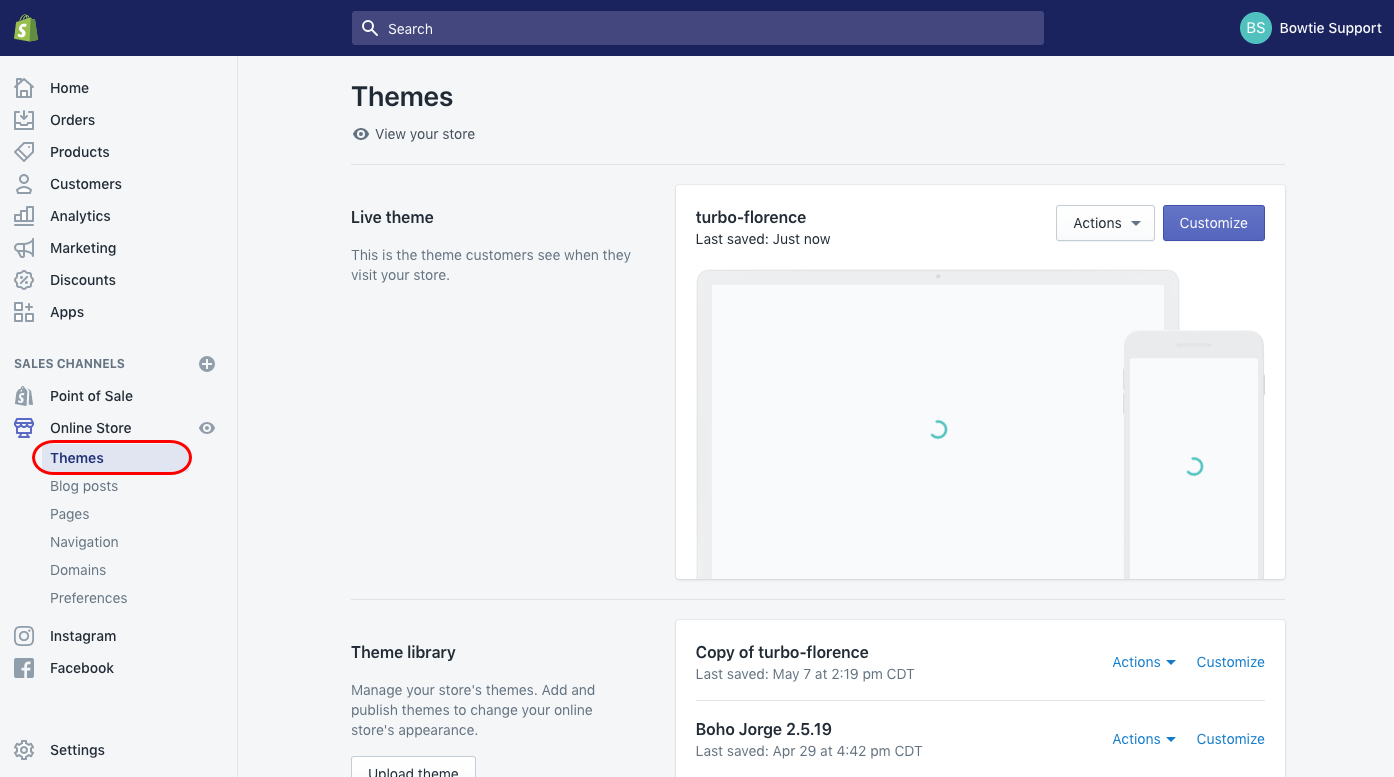
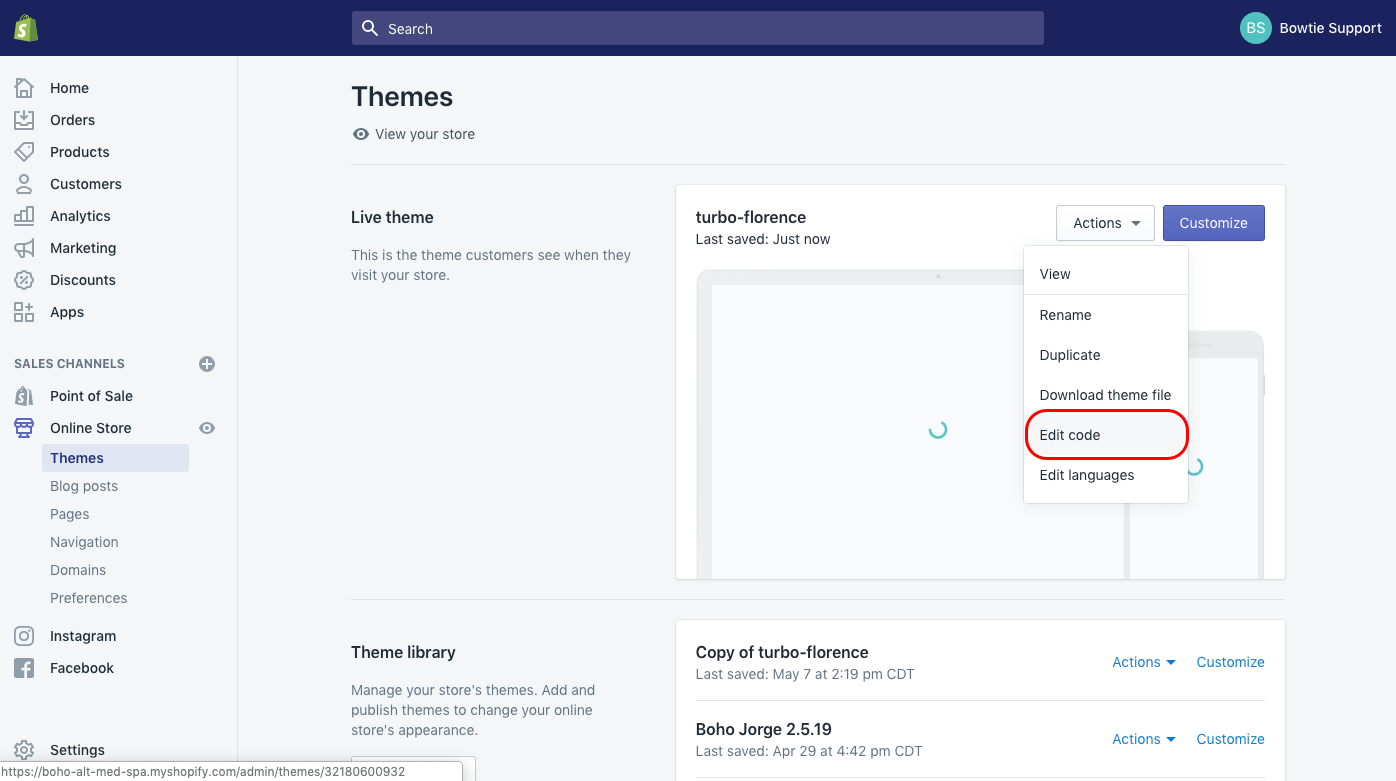
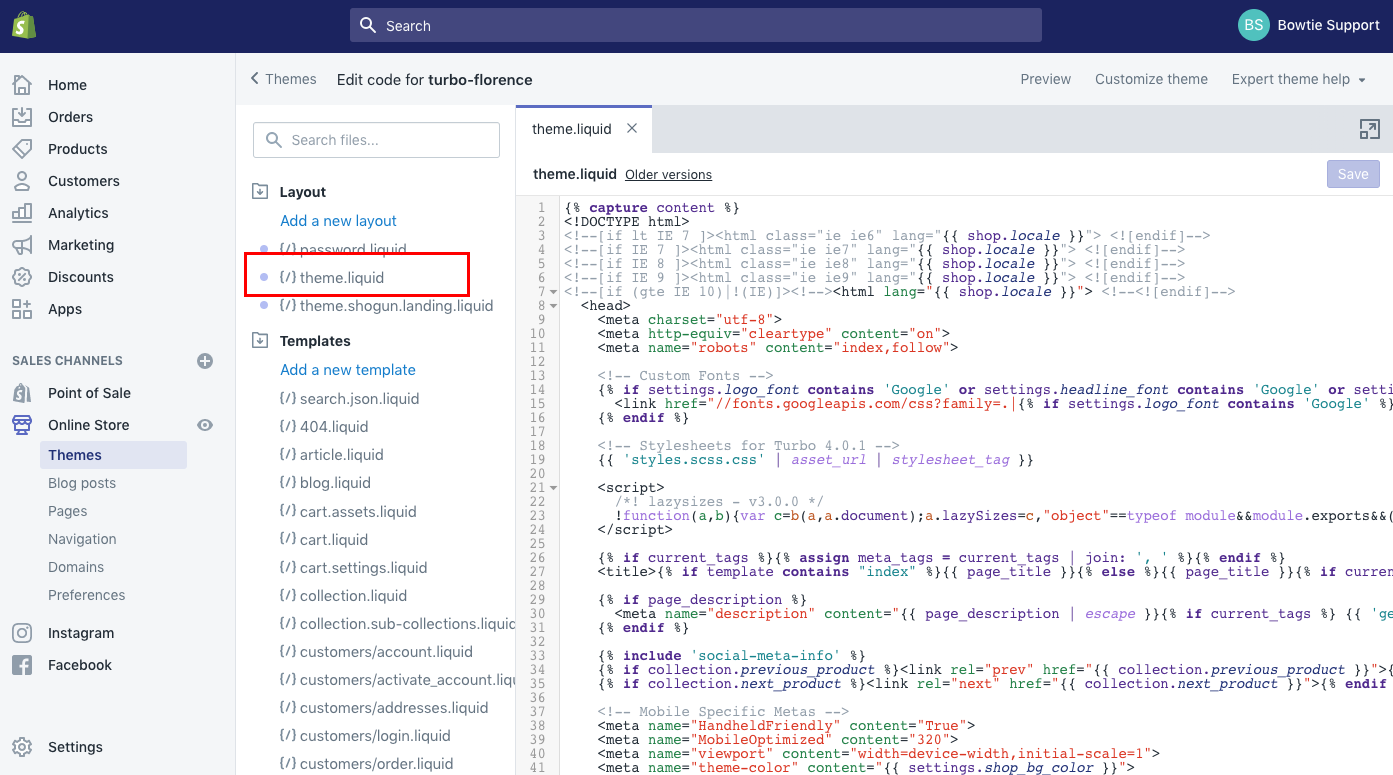
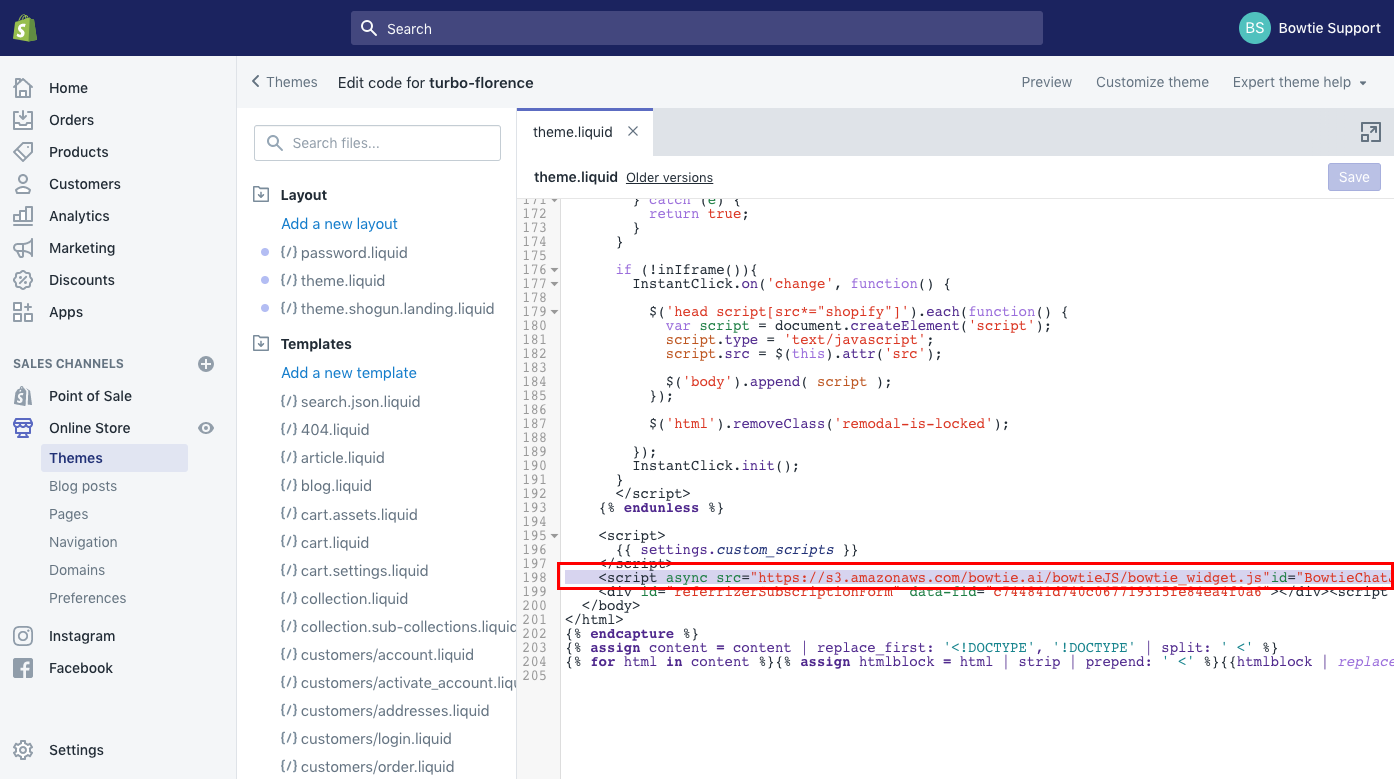
Insert your Connectly widget chat code just before the </body> tag, then save.
You're one step away from skyrocketing your business!
"With Connectly we had 80% less rider issues thanks to their WhatsApp automation. I can't recommend it enough!"

Aspa Lekka
COO & Founder

Talk to a Connectly expert and get a plan that fits. See what's possible—in 30 minutes.
By submitting your information, you agree to Connectly's Terms of Service and Privacy Policy. You can opt out anytime.

©️ 2025 All rights reserved. Connectly Inc. Engineered with ❤️, globally.
Company
Let's get started